Financial Accounting POS System for your business
Let your business be a retail, restaurant, distribution, construction, logistics or service sectors, financial accounting software helps you to manage your day-to-day cash flow, transactions done and taxes around these accounting transactions. Take insight-driven decisions using detailed financial report of your business by adopting a financial accounting POS software. Learn more financial accounting
FREE financial accounting software






Why choose Gofrugal's Accounting POS software?
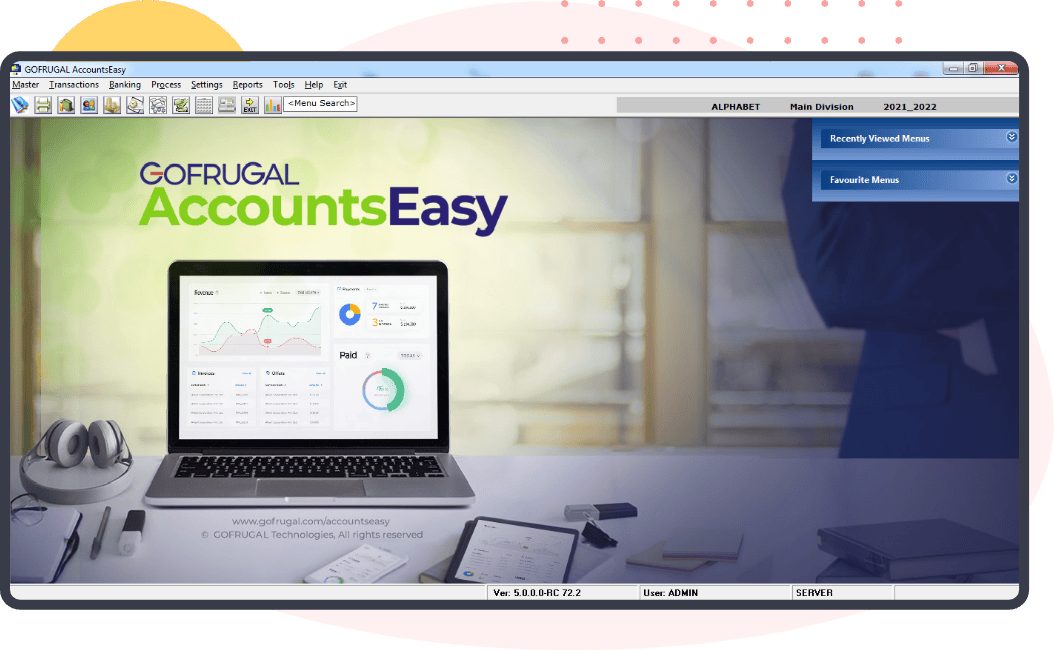
The Gofrugal POS and its CRM software are tightly integrated with the accounting module - AccountsEasy. Hence, all bills made and ledgers created in the POS will reflect in AccountsEasy automatically which eliminates the double entry work
The accounting software has simplified voucher creations and has drastically reduced the effort spent on multiple transactions
Gofrugal AccountsEasy is suitable for small businesses till multi-chain outlet businesses
With automated tax calculations, one click is all it requires to export filing ready GSTR, TDS, TCS reports etc.
The bookkeeping software helps to make smart decisions by getting an overview of the business with 160+ insightful reports
Accounting on the go with AccountsEasy mobile app which has dashboards for quick balances of key performance indicators, accounting ratios, pictorial representation of receivables, payables, financial statements, cash positions and cash movements
Approve vouchers anywhere any time: Transactions that need approval can be approved from the AccountsEasy mobile app itself
Benefits of using Financial Accounting POS System

Multiple companies
Manage multiple accounts of multiple companies under one financial accounting system.

Smart decision
Insightful reports derived from the transactions made in the software enabling a user to make smart decisions.

Audit ready
Avoid manipulation by freezing and processing the ledgers in the accounting system after any periodical audit.

Banking simplified
Predefined values to simplify recording banking activities.

Purchase and sales
Purchase and sell items with/ without inventory management.

Track banking activities
Have a track of every banking activity by recording in the accounting system.

Control actions
Ability to control and decide what action has to be taken and by who.

Tax automation
Easing the effort spent on taxes by auto calculating the tax amount and providing the details in expected format to be directly filed.

Effortless vouchers
Ability to effortlessly make and track vouchers such as purchase, sales, payments, receipts, journal, contra, debit note and credit note.
How to download free Financial Accounting management system from Gofrugal?
A good accounting software accounts for half of your success; your decision made with the help of the software ensures the rest. If you are looking for a good accounting software, then you can account on Gofrugal and discount your challenges. Get a free trial by clicking the below button.
Free financial accounting software
Why do businesses need Financial Accounting software?
1000's of sales bills and 100's of purchase bills will be recorded per month in a medium-sized retail business like supermarket, F&V / a restaurant/ FMCG or pharmacy distributors. Out of these most of them would occur on a credit basis which needs to be recorded, adjusted and paid later. Every transaction made in the ERP software will atleast involve one taxation. Hence, to record and track these high volume cash flow and the taxes involved, every such industry should opt for an accounting software. Also, businesses would need online accounting software to perform accounting, approve transactions, and take decisions on the go, anywhere at any time. The freedom that online accounting POS software provides to a decision-maker is infinity.
Download free financial accounting software
Key Features of Financial Accounting Software
These accounting software features will help you boost your business with minimal staff and least skills, enabling you to gain complete control over accounting.
Master management
Manage multiple companies
Add/ edit basic details of the company like Address, GST number, PAN to reflect in all GST invoices and returns automatically
Manage opening balance of ledgers and have a flawless balance sheet
Create 'n' number of new companies as required with different PAN and GST number to manage accounting of all company under one roof.
Manage accounting with area wise, location wise and division wise segment reporting for better clarity in day to day business processes
Create new ledger
Basic ledger groups like sundry creditors/debtors, other accounts payable/receivables, direct/indirect expenses will be available to categorize ledgers
Create new ledger groups if they are not available in default and set cash flow projection amount to predict the cash flow in upcoming days
Add ledgers like bank and cash accounts, sundry creditors, sundry debtors and map it to the appropriate ledger groups along with its basic and tax details
The GST number of party will be validated while creating the ledger and the PAN and state will be auto populated from the GST number
Migrate the ledger details and balances from your previous financial accounting software to AccountsEasy in one shot to avoid manual effort and errors
Control ledger Behavior
Decide whether vouchers made for a ledger should have the amount adjusted against a bill or should be marked as an advance/ on-account
To keep a check on receivables and to pay bills on time, set credit limit and credit days for ledgers especially, customers and suppliers
Assign ledgers to specific company, location and cost centre category to make location wise and cost category wise voucher entries
Set default bank account names for receivable ledgers so that they get mapped automatically while making a receipt voucher
Add/ edit basic details of the company like Address, GST number, PAN to reflect in all GST invoices and returns automatically
Manage opening balance of ledgers and have a flawless balance sheet
Create 'n' number of new companies as required with different PAN and GST number to manage accounting of all company under one roof.
Manage accounting with area wise, location wise and division wise segment reporting for better clarity in day to day business processes
Basic ledger groups like sundry creditors/debtors, other accounts payable/receivables, direct/indirect expenses will be available to categorize ledgers
Create new ledger groups if they are not available in default and set cash flow projection amount to predict the cash flow in upcoming days
Add ledgers like bank and cash accounts, sundry creditors, sundry debtors and map it to the appropriate ledger groups along with its basic and tax details
The GST number of party will be validated while creating the ledger and the PAN and state will be auto populated from the GST number
Migrate the ledger details and balances from your previous financial accounting software to AccountsEasy in one shot to avoid manual effort and errors
Decide whether vouchers made for a ledger should have the amount adjusted against a bill or should be marked as an advance/ on-account
To keep a check on receivables and to pay bills on time, set credit limit and credit days for ledgers especially, customers and suppliers
Assign ledgers to specific company, location and cost centre category to make location wise and cost category wise voucher entries
Set default bank account names for receivable ledgers so that they get mapped automatically while making a receipt voucher
Voucher management
Payment and receipt voucher
Expense voucher
Post dated cheque
Journal voucher
Purchase/ sell without inventory
- TDS tax: The tax sections are already available in the financial accounting software with the tax percentages and can also be edited. Whenever the Government of India makes a change in the TDS tax percentage, GOFRUGAL will update the accounting system. Whenever a payment, say, rent expense (TDS tax type and deductee type can be mapped during ledger creation), goes above its TDS limit, TDS payable ledger will be automatically credited while passing the journal
- Auto GST split up (CGST, SGST, IGST) happens for every journal entry made and Input credit GST ledgers are automatically debited if GST and SAC code were fed while creating the ledgers. Every business got to pay GST liability every month and even that has to be recorded in the software. The accounting software will auto load the amount to be paid for GST and can be recorded in one click
Make vouchers based on scenarios with ease
Multiple recurring transactions like rent payables, receivables, salary payments, and daily expenses can be created as templates and converted to voucher entries anytime in one click
Accountants/auditors can also use an accounting system they are used to (like Tally) as Gofrugal integrates with such system for importing sales and purchase transactions directly
Give transparency to payments and make them more meaningful in reports with split-ups by creating multiple elements like salesperson, department. While making monthly employee expenses, we can record the amount given to each sales member and department wise expenses can also be recorded
Give commissions to sales rep based on the commission percentage configured to them while creation as collections are made by them. Fetch collection rep wise reports to track the same
Transactions that might or might not occur in the future can be prepared in advance as a memo. Once the transaction happens in future, it can be converted to a voucher
Never miss out on a payment, schedule them: In the accounting POS software, every payment against a ledger, from supplier payments to monthly rent expense can be scheduled and its a one-time effort
Banking management
Record banking activities
Banking inside Gofrugal ERP with ICICI connected banking
Control, audit and take smart decisions
Control and security
Pre approval process in the financial accounting system enables the management to decide and select the credit bill that has to be paid first and the accountant makes the payment voucher entries
Set budgets for each month, quarter, year or in customized time frame and keep a watch on your expenses and sales. Budgets can be set for all ledgers in the financial accounting system with 4 enforce types - Approval needed, Do not allow, Proceed, Warn and proceed
Bill enquiry and bill proposal to enable counter person to give payments or to receive cash and make a entry in it. This transaction will be reflected in ledger books upon approval from the accountant
Convey a task/ information to any user in the accounting POS software via the chat window
Control who does what in the organization by enabling, disabling or setting password for the screens like ledger master, payments, receipts with AccountsEasy's security manager
Audit and process management
Once the cash handover process is done for the day, freeze the day's transactions by day end processing in the accounting POS software. Regular day-end processing keeps your accounting neat and flawless
Perform a year-end process to transfer the ledger balances from one financial year to another financial year or else every payment/ receipt entry made will become an on-account/ advance entry
Even if auditing happens on a random day rather than on a month-end or a year-end, the accounting book can be frozen till the date of the audit
Periodic stock auditing is mandatory to keep the financial accounting system neat. However, in case of irregular stock auditing or for miscellaneous reasons, the stock value (in amount) can be added manually in the accounting system
In day-to-day business, two suppliers might join to become one organization, transactions of one ledger might be added into another ledger by mistake. In these scenarios, either transaction data of one ledger can be merged into another ledger or an entire ledger can be merged into another
Take smart decisions with reports
The MCA (Ministry of Corporate Affairs) has mandated the recording of all transactions in a company and to compulsorily have audit trails in the accounting software from 1st April 2022. Every bit of an action occurring in day to day business activities from ledger creation to voucher edit will be available as an audit trail report.
These are so in-depth that we can even ascertain at what time, by who, in which counter, was the change/ manipulation made. Any edit that happens in the software will be brought to attention immediately via our WhatsNow app
Get to know what happened in business today and plan the next day with the daily reports such as daybook, cashbook, bank book, day-wise transaction summary and session wise summary
Get an overview of how a particular segment (i.e) a group of ledgers, has functioned for a period with the group-wise report.
Build a relationship with the parties namely, suppliers, customers and creditors by knowing their outstanding amount to be paid, and its due date from reports such as customer/ supplier outstanding, ageing report, bill-wise settlement, balance status, rep/ area wise outstanding
From looking for cheque status till bank reconciliation Statement (BRS), all functions related to banking can be viewed in 10+ in-depth reports
To submit an accurate balance sheet for auditing, the trial balance report will act as a guide. The difference in opening balance of ledgers if any will be reflected in the trial balance
Estimate the efficiency of an organization using the profit and loss (P&L) report. Expenses and income will be netted off and the gross profit/loss, as well as net profit/ loss, will be showcased. The financial accounting software also provides uncleared party ledgers, negative outstanding balance, manual sales/ purchase, mismatch in opening/ closing balance, GSTR troubleshooting report, Cheque in hand journal entries
Determine the efficiency of the organization with accounting ratios and percentages like gross margin, profit margin, return on investment, asset turnover, DSO ratio, receivables turnover ratio, payables conversion period
Plan your investments and expenses by checking out the predicted cash flowng on your existing transactions done in the financial accounting software. Also, view how your cash flows and fund flows have performed in the past
Add Interest on receivables and payables using interest calculation reports and also pass a journal voucher directly from the report
Even though all GSTR related reports are available in the GOFRUGAL's Tax filling app, GSTR reports are also available along with other statutory reports inside AccountsEasy like TDS forms (16A, 17, 27A, 26Q,24Q), TDS deductions and calculations, GSTR register wise summary, GSTR inward summary, GSTR-1, GSTR-2A, GSTR-2B, TCS reports, Kerala flood cess deductions
Prepare GST related reports
Export an accurate GSTR-1 (B2B, B2CS, B2CL outward supplies, exported supplies, credit/ debit note, bill rated supplies, advance received, advance adjusted) from the tax filing web app in excel/ CSV format. The exported file is ready to upload and requires zero manual changes
Export a ready to upload GSTR-2 (B2B inward supplies, unregistered reverse charge supplies, credit/ debit note, nil rated supplies) from the tax filing web app in excel/ CSV format
The consolidated GSTR-3B with details of Outward Supplies and inward supplies liable to reverse charge, details of inter-State supplies made to unregistered persons, composition taxable persons and UIN holders, details of eligible ITC, details of values of exempt, nil-rated and non-GST inward supplies and TDS/ TCS tax credit can be exported in ready to upload, excel/ CSV format
Annual returns have to be filed in GSTR-9. The GSTR-9 report will be accurate enough to upload right away in the GST government portal, provided every transaction is recorded correctly in the accounting POS software with proper GSTR details.
GSTR-2A can be downloaded from the tax filing web app directly and updated to verify the sales and purchases booked by the organization,
In GSTR - 1 and GSTR - 2, we can fetch HSN code summary item wise giving us an overview of items that were sold and bought during a period
In case of any mismatch in the HSN of items sold/ purchased, tax calculation of any sales or purchase and mismatch in an invoice for registered users will be identified by the tax filing web app, enabling us to edit and clear the mismatch in GSTR
Any taxpayer can be identified in the tax filling software if we have the GST number of the party. Details such as the legal name of business, centre and state jurisdiction, date of registration, the constitution of business, taxpayer type can be fetched
Details of every filling done by the GOFRUGAL's tax filling portal user can be fetched from the tax filing web app itself along with GST amount and date of payment
E-invoices can be generated for the applicable businesses based on turnover and either IRN can be generated automatically or by a manual push from the user. Either way, the effort is reduced down to one click or negligible
Once, the E-way bill portal is linked with the tax filling solution, for every dispatch invoice with a bill amount above the cut off limit, an E-way number will be automatically generated
Pre approval process in the financial accounting system enables the management to decide and select the credit bill that has to be paid first and the accountant makes the payment voucher entries
Set budgets for each month, quarter, year or in customized time frame and keep a watch on your expenses and sales. Budgets can be set for all ledgers in the financial accounting system with 4 enforce types - Approval needed, Do not allow, Proceed, Warn and proceed
Bill enquiry and bill proposal to enable counter person to give payments or to receive cash and make a entry in it. This transaction will be reflected in ledger books upon approval from the accountant
Convey a task/ information to any user in the accounting POS software via the chat window
Control who does what in the organization by enabling, disabling or setting password for the screens like ledger master, payments, receipts with AccountsEasy's security manager
Once the cash handover process is done for the day, freeze the day's transactions by day end processing in the accounting POS software. Regular day-end processing keeps your accounting neat and flawless
Perform a year-end process to transfer the ledger balances from one financial year to another financial year or else every payment/ receipt entry made will become an on-account/ advance entry
Even if auditing happens on a random day rather than on a month-end or a year-end, the accounting book can be frozen till the date of the audit
Periodic stock auditing is mandatory to keep the financial accounting system neat. However, in case of irregular stock auditing or for miscellaneous reasons, the stock value (in amount) can be added manually in the accounting system
In day-to-day business, two suppliers might join to become one organization, transactions of one ledger might be added into another ledger by mistake. In these scenarios, either transaction data of one ledger can be merged into another ledger or an entire ledger can be merged into another
The MCA (Ministry of Corporate Affairs) has mandated the recording of all transactions in a company and to compulsorily have audit trails in the accounting software from 1st April 2022. Every bit of an action occurring in day to day business activities from ledger creation to voucher edit will be available as an audit trail report.
These are so in-depth that we can even ascertain at what time, by who, in which counter, was the change/ manipulation made. Any edit that happens in the software will be brought to attention immediately via our WhatsNow app
Get to know what happened in business today and plan the next day with the daily reports such as daybook, cashbook, bank book, day-wise transaction summary and session wise summary
Get an overview of how a particular segment (i.e) a group of ledgers, has functioned for a period with the group-wise report.
Build a relationship with the parties namely, suppliers, customers and creditors by knowing their outstanding amount to be paid, and its due date from reports such as customer/ supplier outstanding, ageing report, bill-wise settlement, balance status, rep/ area wise outstanding
From looking for cheque status till bank reconciliation Statement (BRS), all functions related to banking can be viewed in 10+ in-depth reports
To submit an accurate balance sheet for auditing, the trial balance report will act as a guide. The difference in opening balance of ledgers if any will be reflected in the trial balance
Estimate the efficiency of an organization using the profit and loss (P&L) report. Expenses and income will be netted off and the gross profit/loss, as well as net profit/ loss, will be showcased. The financial accounting software also provides uncleared party ledgers, negative outstanding balance, manual sales/ purchase, mismatch in opening/ closing balance, GSTR troubleshooting report, Cheque in hand journal entries
Determine the efficiency of the organization with accounting ratios and percentages like gross margin, profit margin, return on investment, asset turnover, DSO ratio, receivables turnover ratio, payables conversion period
Plan your investments and expenses by checking out the predicted cash flow depending on your existing transactions done in the financial accounting software. Also, view how your cash flows and fund flows have performed in the past
Add Interest on receivables and payables using interest calculation reports and also pass a journal voucher directly from the report
Even though all GSTR related reports are available in the GOFRUGAL's Tax filling app, GSTR reports are also available along with other statutory reports inside AccountsEasy like TDS forms (16A, 17, 27A, 26Q,24Q), TDS deductions and calculations, GSTR register wise summary, GSTR inward summary, GSTR-1, GSTR-2A, GSTR-2B, TCS reports, Kerala flood cess deductions
Export an accurate GSTR-1 (B2B, B2CS, B2CL outward supplies, exported supplies, credit/ debit note, bill rated supplies, advance received, advance adjusted) from the tax filing web app in excel/ CSV format. The exported file is ready to upload and requires zero manual changes
Export a ready to upload GSTR-2 (B2B inward supplies, unregistered reverse charge supplies, credit/ debit note, nil rated supplies) from the tax filing web app in excel/ CSV format
The consolidated GSTR-3B with details of Outward Supplies and inward supplies liable to reverse charge, details of inter-State supplies made to unregistered persons, composition taxable persons and UIN holders, details of eligible ITC, details of values of exempt, nil-rated and non-GST inward supplies and TDS/ TCS tax credit can be exported in ready to upload, excel/ CSV format
Annual returns have to be filed in GSTR-9. The GSTR-9 report will be accurate enough to upload right away in the GST government portal, provided every transaction is recorded correctly in the accounting POS software with proper GSTR details.
GSTR-2A can be downloaded from the tax filing web app directly and updated to verify the sales and purchases booked by the organization,
In GSTR - 1 and GSTR - 2, we can fetch HSN code summary item wise giving us an overview of items that were sold and bought during a period
In case of any mismatch in the HSN of items sold/ purchased, tax calculation of any sales or purchase and mismatch in an invoice for registered users will be identified by the tax filing web app, enabling us to edit and clear the mismatch in GSTR
Any taxpayer can be identified in the tax filling software if we have the GST number of the party. Details such as the legal name of business, centre and state jurisdiction, date of registration, the constitution of business, taxpayer type can be fetched
Details of every filling done by the GOFRUGAL's tax filling portal user can be fetched from the tax filing web app itself along with GST amount and date of payment
E-invoices can be generated for the applicable businesses based on turnover and either IRN can be generated automatically or by a manual push from the user. Either way, the effort is reduced down to one click or negligible
Once, the E-way bill portal is linked with the tax filling solution, for every dispatch invoice with a bill amount above the cut off limit, an E-way number will be automatically generated
Hear from our customers
Managing 3,500+ products across multiple stores was challenging—from inventory tracking to centralized management. Gofrugal provided us with a seamless solution, streamlining everything from billing to purchase planning for efficient operations and enhanced customer satisfaction.
Mr. Balachandran Nair, Owner
Pilgrimaide Pooja Shoppe
Managing my multi-store business from one place has never been easier. I rely on Gofrugal's warehouse management software for faster and secure operations, including procurement, forecasting, storage, and stock transfers centrally from the warehouse.
Mr. Nirav Meswani, Director
Surprise Home Linen
Gofrugal Pharmaceutical software has managed my Pharma distribution business very smoothly for the last 10 years. Their timely updates aligned with the market needs have helped me increase my market reach by 55%. More importantly, they resolve all my queries immediately giving me peace of mind.
Mr. Aditya Kothari, Proprietor