Restaurant order taking app
Software for restaurant order taking with real-time menu and instant order updates for faster and more accurate order management
Experience Free Trial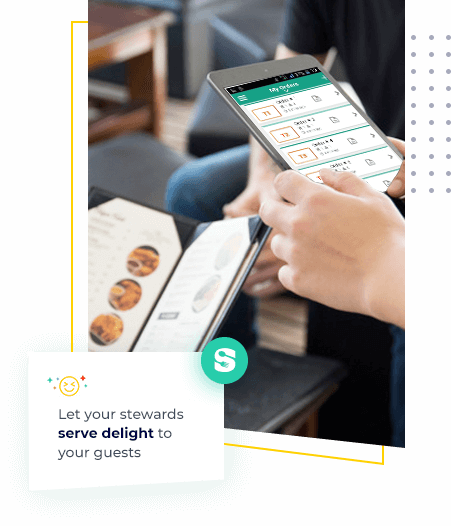
Why restaurant order taking app is a must have in your restaurant?
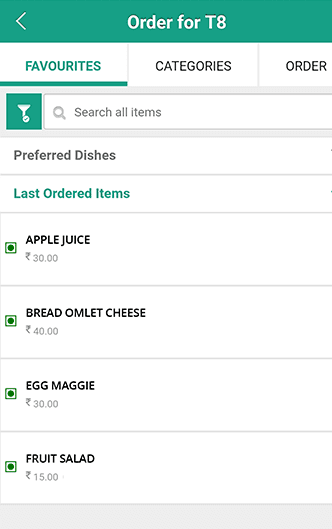
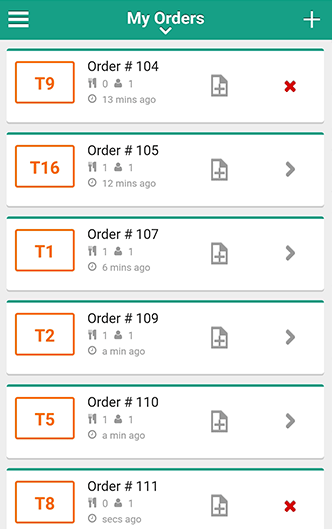
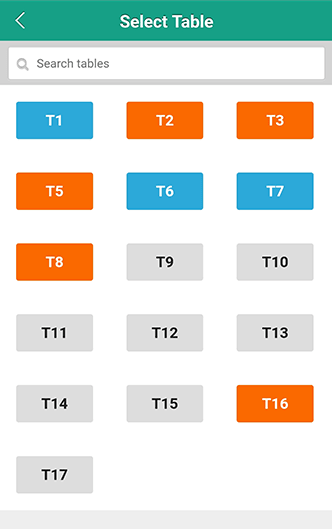
Table Management made easy
Visual table layout with colour coding based on availability ensuring faster seating
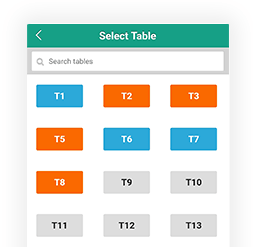
- Reliable table management
- Faster order taking
- Instant order transfer to kitchen
- Quicker operations meaning faster table turn around time
Know your customer better
Get to know your customers and engage with them better
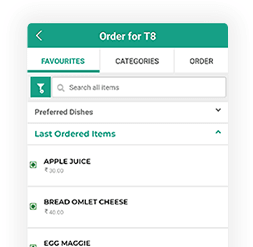
- Engage with customers based on ordering history
- Upsell chef's favourite and today's specials
- Customization and prioritization made easy
- Offer prefixed discounts to your loyal customers
Simplify operations
Manage multiple orders with ease and improve overall operational efficiency
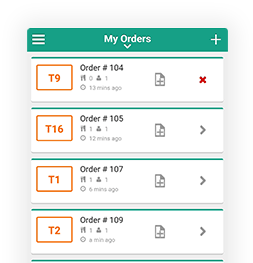
- Route orders to respective kitchens
- Stay updated on the order status
- Merge and shift tables upon customer requests
- Edit and cancel KOT's upon customer requests
- One tap bill print
Serving happiness is now in your hands
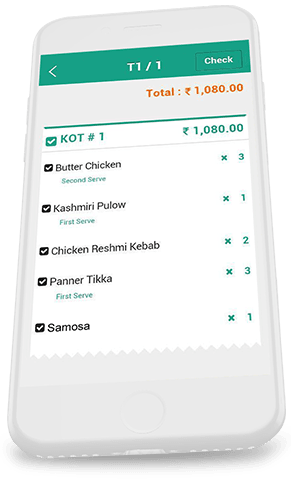
Now with servjoy in hand stewards can manage the entire operation with ease providing delightful customer experience every time
Affordable pricing model
by switching to yearly plan
* Exclusive of GST
Enter your required user license
Why Food businesses love us ?
Our stewards find Servjoy to be easy to use and are able to transfer orders to the kitchen instantly reducing manual effort. Also, Servjoy has helped us improve on our table turn around time resulting in higher operational efficiency and more business for us
Inceptio the burger junction
Mr. Manu Joseph
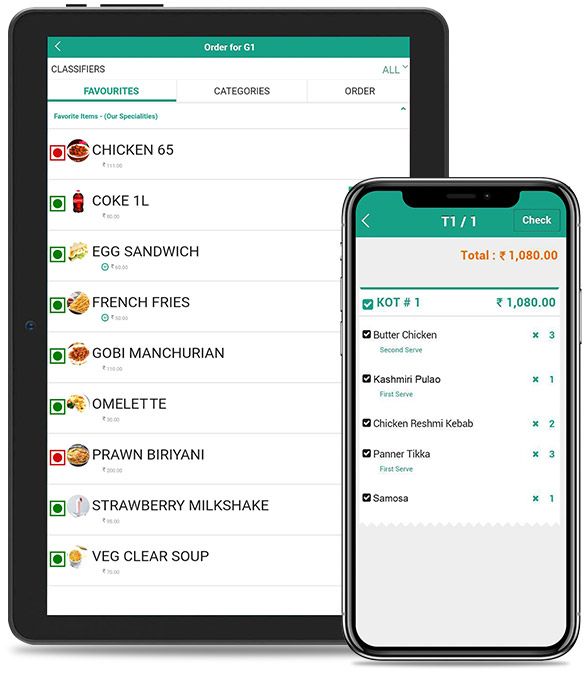
Choose the device of your choice
Android : Mobile | Tab
Android Version 5.1 and above
Minimum 1 GHz processor
Minimum 1 Gb RAM
Overview of restaurant order taking app
What is a restaurant order taking app?
The restaurant order-taking app is an application that converts your tablet or mobile into an automated order-taking device that streamlines the process of taking orders and sending orders directly to respective kitchen counters with just a tap on the tab. This restaurant order app for waiters is designed extensively to reduce the manual effort of waiters and produce happy and satisfied customers by delivering lightning-fast orders.
Why do waiters need a restaurant order taking app?
Manual order-taking is time-consuming and frustrating. A restaurant order app for waiters automates the process of taking orders by routing the orders directly to the kitchen without having to print KOT manually. It enhances the quality time spent with each customer by curbing the time spent on running to the kitchen for order status. With our restaurant order taking app, waiters will enjoy serving the customers with a big smile creating a hospitable and friendly restaurant environment.
Importance of order taking app in Restaurants
- Often, waiters find it hard to switch between tables and take orders manually. The waiter order taking app will give a delightful experience for both waiters and the customers, thereby creating a lovable environment for visitors. It will increase the customer base of the restaurant by many folds.
- With its easily accessible features, restaurant owners find it more helpful as it reduces the time taken to train the waiters and stewards with the application u
- Bakery or a Big restaurant, order taking app manages all manual operations effectively, helping the owners to focus more on captivating customers with its finger-licking taste.
What is servjoy?
ServJoy is a free app for waiters to take orders and manage the entire order cycle from order taking to billing with ease.
How to log in to Gofrugal's order taking app?
You can enter your mobile number and email-id to signup for the first time. Enter the OTP you receive after you signup and enjoy serving.
Is servjoy a free application?
ServJoy is a restaurant order taking app that can be downloaded from PlayStore for free. It has a free trial for up to 7 days after which it will be a monthly/annual subscription.
Does servjoy work offline?
One of our key USP's is the offline functionality, servjoy can run without an internet connection.
Can I buy servjoy alone?
No, servjoy is not a stand alone product, you'll have to purchase either one of our cloud or on premise restaurant POS software.
Why is Gofrugal the best Restaurant Order Taking App?
Gofrugal's Restaurant Order Taking App - ServJoy is hands-down the best as it has curated its application features to meet the business requirements of the restaurant owners. With its easy integration with your POS system, menu changes and order updates are synced to the application, reducing table turnaround time and serving more customers. From color coding for easy identification of table availability to generating bills directly from the application Gofrugal's software for restaurant order taking showers you with bundles of happy customers with its advanced features.
What happens if my mobile device gets formatted or servjoy app is uninstalled?
No worries. If there are any device changes you can reinstall the app, login in back and start using the application.
What is the pricing model?
Servjoy pricing is extremely flexible and it supports both user based license and unlimited license model. Click here for pricing.
Can I use servjoy in multiple devices?
You can use servjoy in as many devices based on your plan. Incase of unlimited plan, there is no restriction.
Can I generate bills using servjoy?
You can generate bills directly from the application itself.
What is the difference between steward and waiter?
A steward is a person responsible for handling the dining of customers while a waiter is a person responsible for taking and delivering orders to customers. In Gofrugal's hotel order taking app, you can map stewards and waiters to corresponding tables to reduce table turnaround time.
Will I be able to upgrade my plan in the future?
We are extremely flexible, you can switch plans based on your requirement.
How can I use servjoy in multiple locations?
Servjoy can be used in multiple outlets, but the pricing model is per location based.
Benefits of using Software for restaurant order taking
- Our restaurant order taking app offers a delightful guest experience by mapping waiters to tables, reducing hassles in a crowded situation.
- It can be frustrating when the customer orders their favorite food only to find out that it is not available. The order taking app offers live menu sync from the kitchen on the item availability, helping the customers with their order preferences.
- Routes order directly to the Kitchen Display System, reducing the walking time of waiters and letting them enjoy serving.
- Delayed orders lead to disappointed customers. This waiter order taking app automates every step involved in processing the orders, reducing order processing time.
- No more waiting for closing bills. Waiters mapped to the tables can print bills from the order taking app, enhancing customer satisfaction.
Can I route KOT's directly to different kitchen counters?
Yes, once steward saves a KOT corresponding kitchen's will receive a KOT print.
Can the customer details be captured by stewards?
Yes, customer details can be saved by stewards directly from the app.
Does servjoy support all restaurant business models?
Absolutely, any restaurant business that have a table setup and stewards can use servjoy for order taking. Get a free trial and experience servjoy for yourself.