What features make a billing system easy to use and error-proof for new retail staff?
New retail staff often struggle with complex POS billing systems, leading to slow checkouts and costly errors. The right billing software should be simple and error-proof. Learn what features make a retail billing system easy to use and reliable for smooth operations.
Try POS software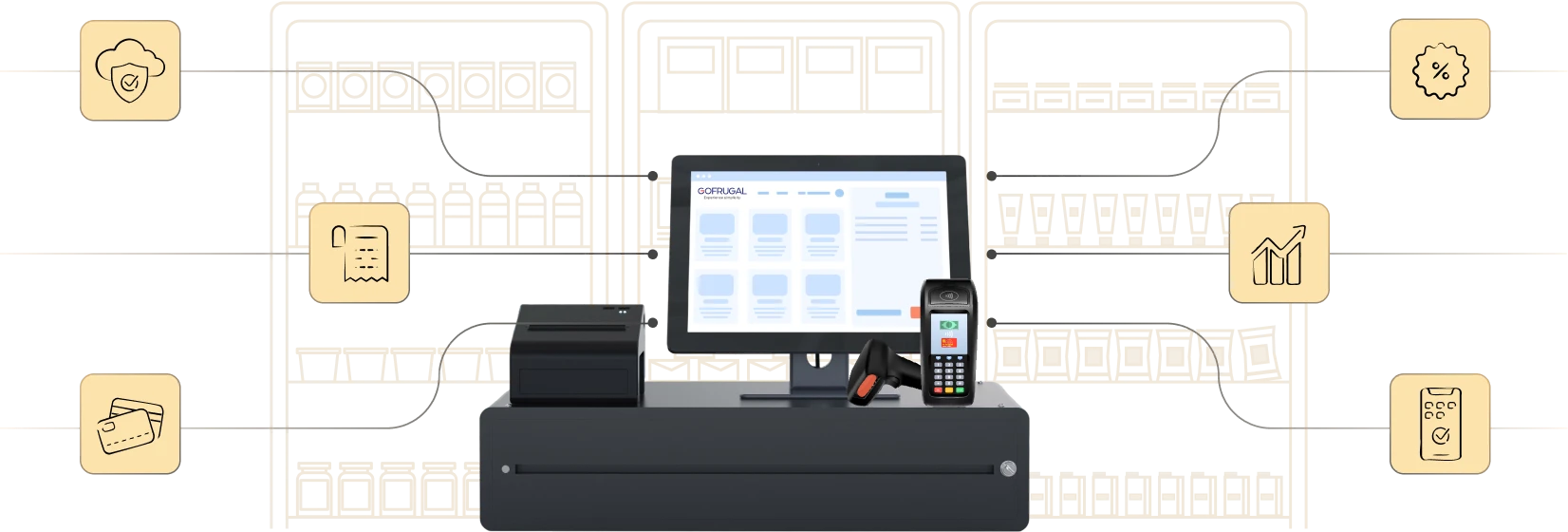
Highly rated and trusted by customers!







Key features
Key takeaways
- Simplified interfaces, guided onboarding, and smart layouts make even first-time employees confident and productive from day one.
- With real-time inventory sync, smart validations, and automated offers, retailers can prevent mistakes, speed up checkout, and maintain customer confidence.
- From single stores to multi-outlet chains, Gofrugal’s billing system scales with your business while delivering secure operations, faster queues, and better customer experiences.
Why new staff struggle with billing systems
Running a retail business today isn’t just about selling products; it’s about delivering a fast, error-free checkout experience. But when new staff join, billing often becomes their biggest challenge.
- Complicated interfaces: Cluttered POS screens overwhelm new staff, slowing billing and increasing errors.
- Pressure during peak hours: Long queues and rushing lead to frequent mistakes in items, tenders, or prices.
- Confusion with offers & stock: Manual discounts and outdated stock data cause delays and frustrated customers.
Features that make billing easy for new retail staff
Training new employees in retail is always a challenge. A modern POS billing system should act like a guiding hand, helping new staff perform confidently from day one. Here’s how the right system makes life easier.
Before billing – A smooth start for every user
Starting a shift should be simple and stress-free. A smart billing system should provide specific features to ensure that.
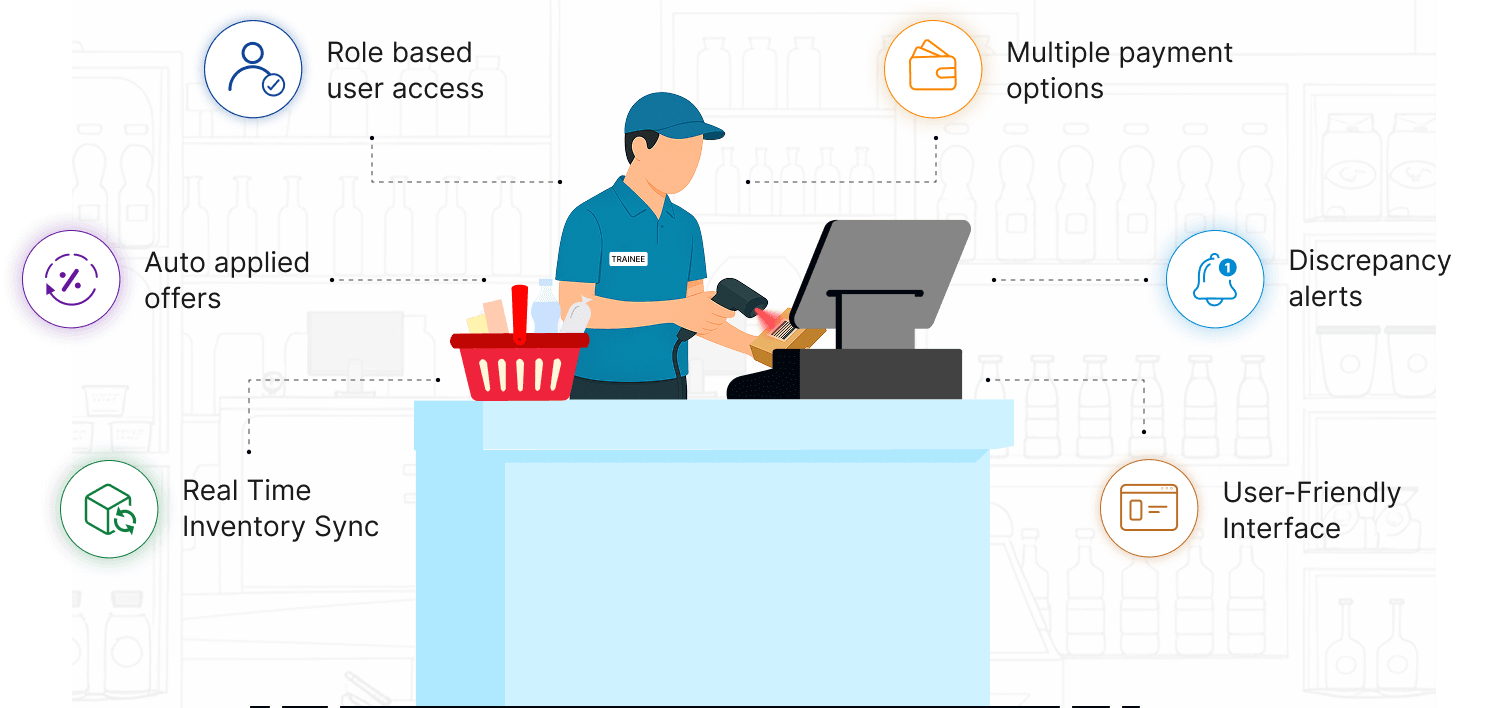
- Guided onboarding with role-based layouts: Each staff member gets an interface tailored to their role. A cashier sees only what they need to bill, while a supervisor gets advanced options. This reduces errors and makes new staff productive from the very first day.
- Smart screen layouts: Easy-to-use tiles, intuitive hotkeys, and quick search options mean staff doesn’t waste time searching for products. Training time drops from days to just a few hours.
- Inventory readiness: Accurate billing starts with accurate stock. Real-time inventory updates, purchase sync, and clean item master data ensure staff don’t face surprises like “out-of-stock” errors during billing.
During billing – Error-free & fast checkout
The billing counter is where the real customer experience happens. Mistakes here directly affect customer satisfaction and trust. A reliable billing system ensures:
- Accurate item selection: Barcode scanning, PLU codes, mobile camera scans, and product images minimize human error. Staff doesn’t need to memorize codes, making the process both fast and accurate.
- Error-proof checkout: Built-in validations automatically catch common mistakes such as wrong tenders, duplicate scans, or negative stock entries. This avoids embarrassing situations in front of customers.
- Seamless offers & inventory handling: Discounts and promotions are applied automatically, and real-time stock sync ensures staff never bills for items that aren’t available. This removes confusion during rush hours.
- Faster queues, smoother payments: Features like hold/resume bills; express counters; and support for UPI, cards, wallets, and other payment modes keep queues moving and customers happy.
- Offline-first billing: Even if the internet goes down, billing never stops. Staff can continue sales without disruption, ensuring no loss of revenue during downtime.
After billing – Secure & transparent operations
The job doesn’t end after the bill is printed. Post-billing activities are equally important for maintaining control and preventing losses. A strong POS system supports:
- Audit trails & tamper-proof logs: Every transaction is recorded against a user, ensuring accountability and eliminating misuse.
- Role-based approvals: Refunds, discounts, and cancellations go through an approval process, giving managers full control without slowing operations.
- Hassle-free returns & exchanges: Staff can confidently process returns without confusion, making customers feel valued.
- Discrepancy alerts: Cash drawer mismatches and variance reports help detect issues early, reducing revenue leakage.
- Omnichannel extensions: Customers can receive WhatsApp e-receipts, opt for scan-and-pay, or even self-checkout. This not only enhances customer satisfaction but also reduces staff workload.
How Gofrugal makes billing easy and error-proof
With Gofrugal’s retail billing software, your team gets more than a POS—they get the easiest system to learn, practice, and master from day one. Onboarding new staff takes just hours instead of weeks, making it the most beginner-friendly and error-proof billing solution for retailers.
- Practice mode with safe data cleanup: New staff can practice billing with dummy entries, and all trial data can be cleaned up without affecting your real business records.
- Try & buy with real business data: Migrate your actual business data into trial mode so staff can learn billing in a familiar environment before fully switching.
- Role-based security controls: Define exactly what each staff member can or cannot do, so even if they make mistakes, your data and operations stay secure.
- Smart in-product guidance: Intuitive alerts and contextual messages guide staff during critical actions like price changes or stock updates, reducing irreversible errors.
- Guided onboarding with role-based layouts: New staff see only the most relevant features on screen, enabling faster learning and confident billing.
Frequently Asked Questions
What makes a billing system user-friendly for new retail employees?
A user-friendly billing system has a simple interface, guided onboarding, and role-based layouts that reduce training time. Features like category tiles, barcode scanning, and smart search help new staff bill quickly without confusion.
How can billing software reduce human errors at checkout?
Modern billing software prevents errors with barcode/PLU-based item selection, smart validations, and auto-applied offers. It ensures real-time inventory sync so staff doesn’t bill out-of-stock items, reducing disputes and mistakes at checkout.
Do modern POS systems require technical training for staff?
Today’s cloud-based POS systems are designed with intuitive layouts, visual cues, and role-specific presets. Even first-time employees can start billing with minimal training, making them productive from day one.
What features help new staff adapt quickly to billing systems?
Features like guided onboarding, smart screen layouts, barcode scanning, product images, and auto-discounts make it easy for new staff to learn. Integrated payment options and hold/resume billing reduce stress during peak hours.
How does an error-proof billing system improve customer satisfaction?
An error-proof POS system speeds up queues, applies offers automatically, and ensures accurate billing. With fast checkout, hassle-free returns, and digital receipts, customers enjoy a smooth shopping experience, leading to higher trust and loyalty.
What are the key factors of retail billing?
Effective retail billing depends on several important factors:
- Speed and accuracy of the billing process
- Multiple payment options for customers
- GST-compliant invoicing
- Barcode scanning and inventory integration
- Real-time sales reporting
An advanced POS system combines these features to improve checkout efficiency and customer satisfaction.
What causes billing errors in retail stores?
Billing errors in retail stores often occur due to manual price entry, incorrect barcode scanning, tax miscalculations, or outdated inventory data. These mistakes can lead to incorrect invoices and customer dissatisfaction. Automated billing systems help minimize such issues. Retail POS solutions like Gofrugal reduce billing errors through automated calculations and real-time data updates.
How can retailers avoid billing mistakes during checkout?
Retailers can avoid billing mistakes by using barcode-based billing, automated tax calculations, and integrated inventory systems. These tools ensure product prices and taxes are applied correctly at checkout. Staff training and reliable POS software also improve billing accuracy. Gofrugal POS helps automate billing processes and reduces manual errors during transactions.
How does POS software help reduce billing errors?
POS software reduces billing errors by automating price calculations, scanning products through barcodes, and applying taxes automatically. This minimizes manual data entry and improves billing accuracy. Real-time inventory updates also prevent incorrect pricing. Retail systems like Gofrugal POS help ensure accurate and efficient billing for businesses.
How does barcode scanning help ensure error-free billing?
Barcode scanning helps ensure error-free billing by automatically identifying products and retrieving accurate pricing from the POS system. This eliminates manual price entry and reduces the risk of incorrect billing. It also speeds up checkout and improves transaction accuracy. Gofrugal POS supports barcode-enabled billing to simplify and improve retail transactions.
How does automated billing improve retail operations?
Automated billing improves retail operations by reducing manual work, ensuring accurate calculations, and speeding up the checkout process. It also helps track sales data and inventory in real time. This leads to better operational control and fewer billing mistakes. Gofrugal billing software automates billing workflows to support efficient retail management.