You built your store from scratch. Every sale, every customer, every rupee is sitting inside a billing software you may not fully understand. One wrong move, one crashed hard drive, one disgruntled employee, how much of it could you actually recover?
Every retail shop owner reaches a point where they have to choose between cloud-based billing software and offline billing software. This may sound like a technical decision, but it's really more of a standard business decision, one that affects your data safety, daily operations, staff accountability, and GST compliance.
The debate isn't as simple as "cloud is modern, offline is outdated." Both have genuine strengths. Both have real risks. For most Indian retail businesses in 2026, the right answer isn't either/or; it's understanding exactly what each model offers and choosing the one that fits your shop or, better yet, choosing a system that provides the benefits of both.
This guide breaks it all down: what cloud and offline billing software actually are, how they compare on the metrics that matter most to retailers, and how to make the right call for your specific business.
What is cloud-based billing software?
Cloud-based billing software stores all your billing data, inventory records, and business reports on remote servers hosted online, typically on enterprise platforms like Amazon Web Services (AWS). Since the data lives on the cloud, you and your staff can access it from any device (desktop, tablet, or mobile) as long as there is an internet connection.
Think of it as your entire billing system living in a secure vault that you can access from anywhere, rather than sitting on a single computer in your store.
How cloud billing software works for a retail shop?
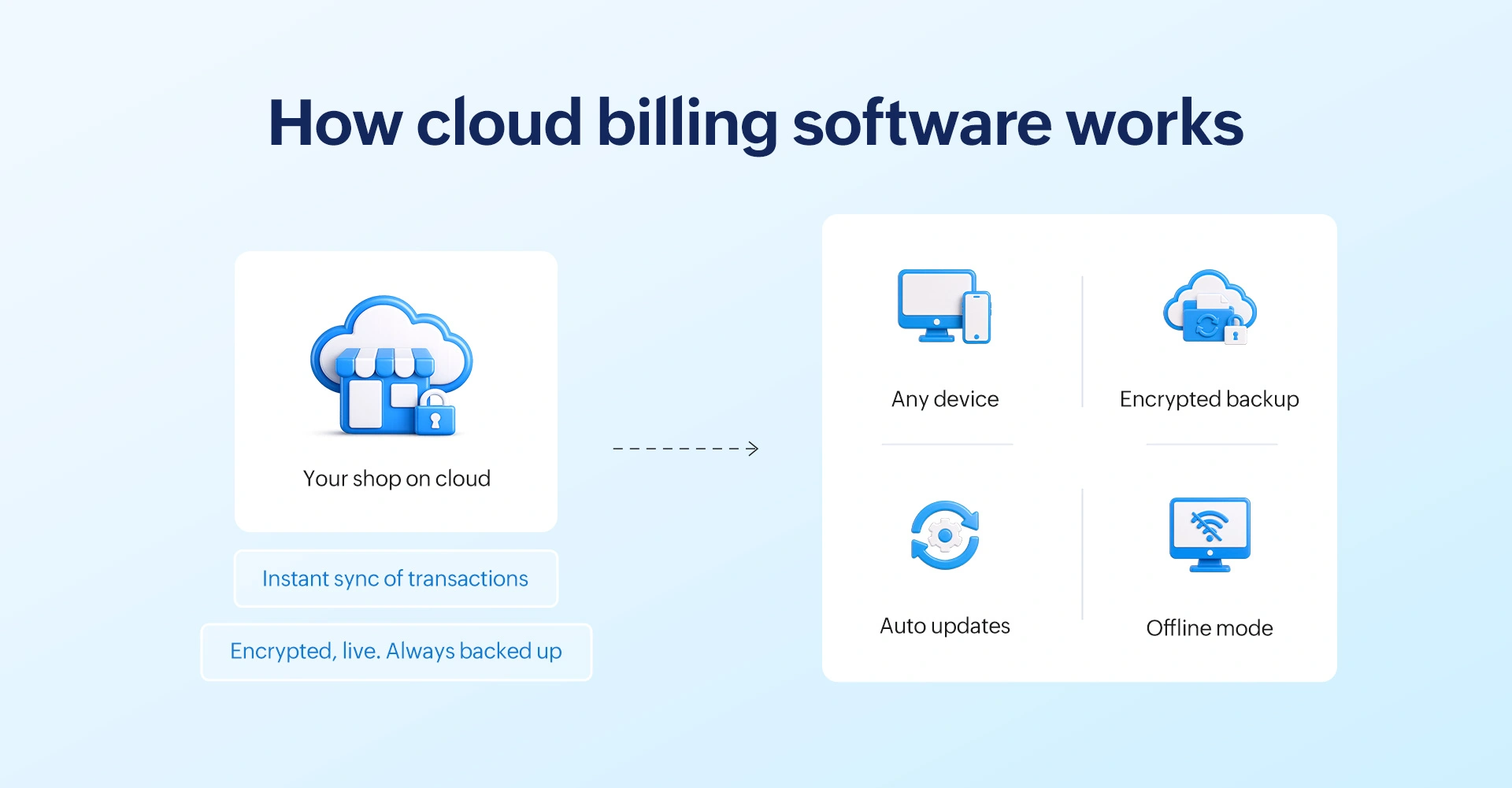
- Billing at the counter: Every transaction processed at your POS updates the cloud instantly. Stock, sales data, and customer records are live.
- Remote access: You can check today's sales, stock levels, or staff performance from your phone, even when you're away from the store.
- Automatic backup: Every bill is backed up on the cloud in real time. If your computer crashes, your data is safe.
- Automatic updates: GST rate changes, new compliance requirements, and software improvements are pushed automatically. No manual installation needed.
- Offline mode available: Modern cloud billing systems (like Gofrugal) include an offline billing mode that keeps your counter running during internet outages, syncing all data automatically once connectivity resumes.
Businesses best suited for cloud billing
- Multi-location retail chains needing centralized visibility.
- Shop owners who want to monitor their business remotely.
- Businesses that prioritize automatic data backup and security.
- Retailers expanding their operations and needing a scalable system.
What is offline billing software?
Offline billing software (also called desktop or on-premise billing software) installs directly on a computer or local server inside your shop. All your data such as bills, inventory, customer records get stored on that device or server, not on an internet database.
It works entirely without internet connectivity, which is why many retail owners in areas with unreliable networks prefer it. The software is yours, installed, controlled, and stored locally.
How offline billing software works?
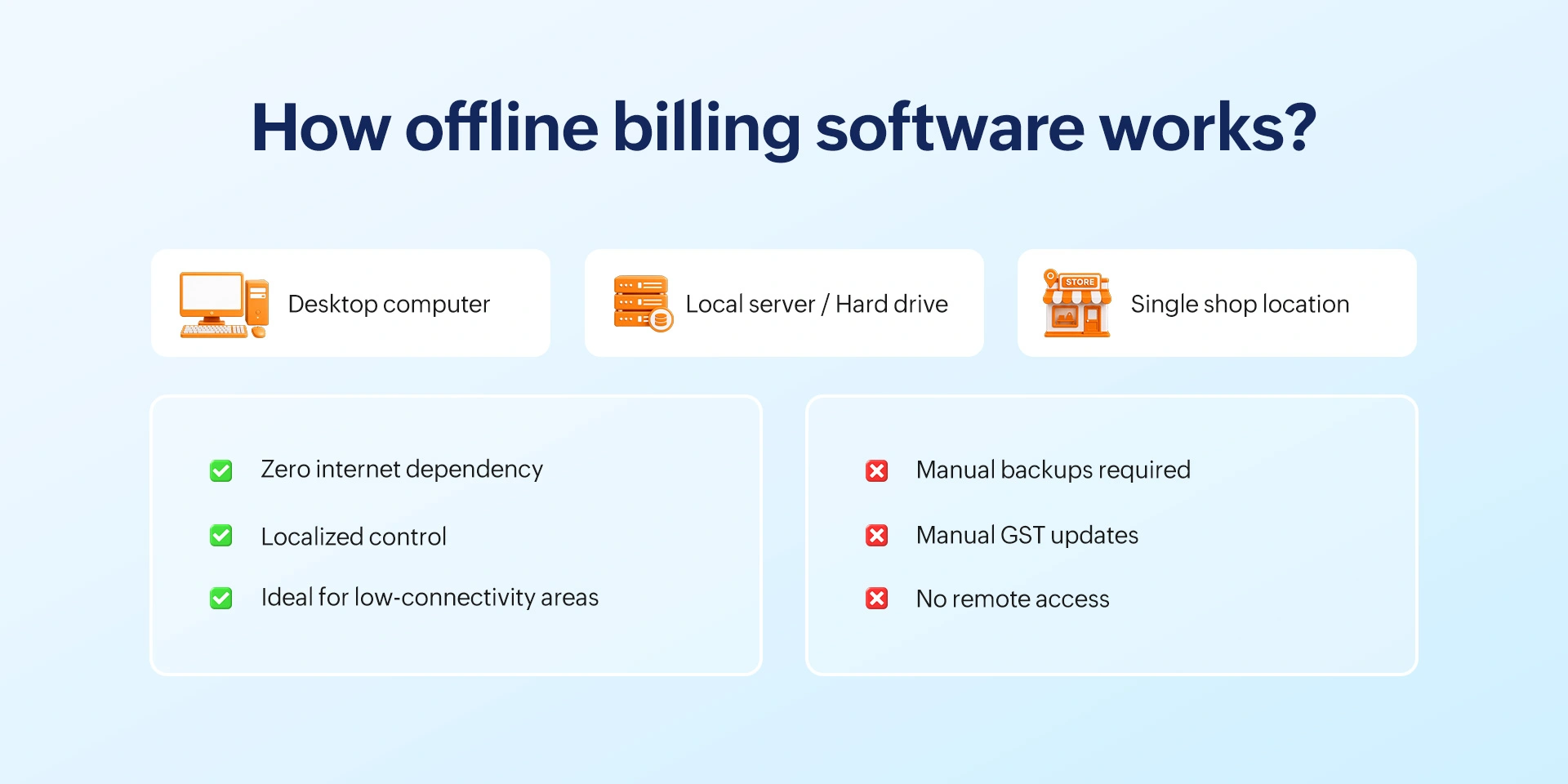
- Local installation: The software runs on one or more computers inside your store. Data stays on your machine.
- No internet dependency: Billing operations continue regardless of internet connectivity, as long as your computer and power are working.
- Manual backup responsibility: You or your IT person must regularly copy data to an external drive or backup server. If this isn't done, and your hardware fails, data is lost.
- Manual updates: New features, GST compliance changes, and security patches require you to download and install updates yourself, which often gets delayed in busy stores.
Businesses best suited for cloud billing
- Single-location shops in areas with poor or no internet connection.
- Retailers who prefer full local control over their data.
- Businesses running a single billing counter with minimal IT complexity.
- Shop owners not requiring remote access or multi-outlet reporting.
Cloud vs. offline billing software: A quick comparison
| Feature | Cloud billing software | Offline billing software |
| Internet requirement | Needs internet for full features; offline mode available in hybrid systems | Works completely without internet |
| Data access | From any device, anywhere, anytime | Only on the installed computer/terminal |
| Data backup | Automatic, real-time, cloud-encrypted | Manual. Depends on your backup routine |
| Data loss risk | Very low. Survives hardware failure, theft, disasters | Higher. One hardware crash can lead to potential total data loss |
| Software updates | Automatic. Always on latest GST & security version | Manual. Often delayed, creating compliance gaps |
| GST compliance | Auto-applied rates, e-invoice-ready, GSTR reports | Depends on version; updates needed for new mandates |
| Fraud detection | Remote audit trails, real-time alerts, role-based access | Audit logs exist but are only viewable on-site |
| Multi-store support | Centralized dashboard for all outlets | Each outlet is a separate, disconnected system |
| Cost structure | Monthly/annual subscription (lower upfront cost) | One-time license fee (higher upfront, maintenance costs later) |
| Scalability | Add counters and outlets easily | Requires fresh installation at each new location |
| Offline billing | Yes. With auto-sync when internet resumes (hybrid) | Yes. Always offline by default |
| Hardware failure impact | Zero. Data lives on the cloud | Potentially severe. Local data at risk |
Key differences between cloud-based and offline billing software
The quick comparison table above gives you the broad picture. Here's a deeper look at the five differences that matter most to retail shop owners.
1. Internet requirement and billing continuity
This is the concern most retail owners raise first and it's a fair one. If your internet goes down, does your cloud billing stop?
For cloud billing
Modern cloud billing systems solve this with a built-in offline mode. Gofrugal's RetailEasy OnCloud, for example, lets your billing counter keep running even without an internet connection. All transactions are saved locally and automatically sync to the cloud the moment connectivity returns with no data gaps or duplicate entries.
For offline billing
There's no internet dependency at all. The software runs fully on your local machine. However, this also means there's no remote visibility, no automatic backup, and no real-time updates.
The question shouldn't be which model needs the internet; it should be which model handles the loss of internet connection better. With a hybrid cloud system, your data is safe in both scenarios. With offline-only, you have safety from connectivity loss, but not from hardware loss.
2. Data access: Local vs. anywhere
With offline billing software, your sales data, reports, and billing history are accessible only on the computer where the software is installed. If you're at home and want to check how today's sales are going, you can't unless someone at the store checks and tells you.
With cloud billing, you can pull up real-time sales, stock levels, and cashier performance from your smartphone, wherever you are. For retailers managing more than one outlet, this remote visibility isn't a luxury, it's how you stay in control without being physically present everywhere.
3. Data security and backup
This is where the "offline is safer" assumption breaks down for most retailers.
Offline billing risks
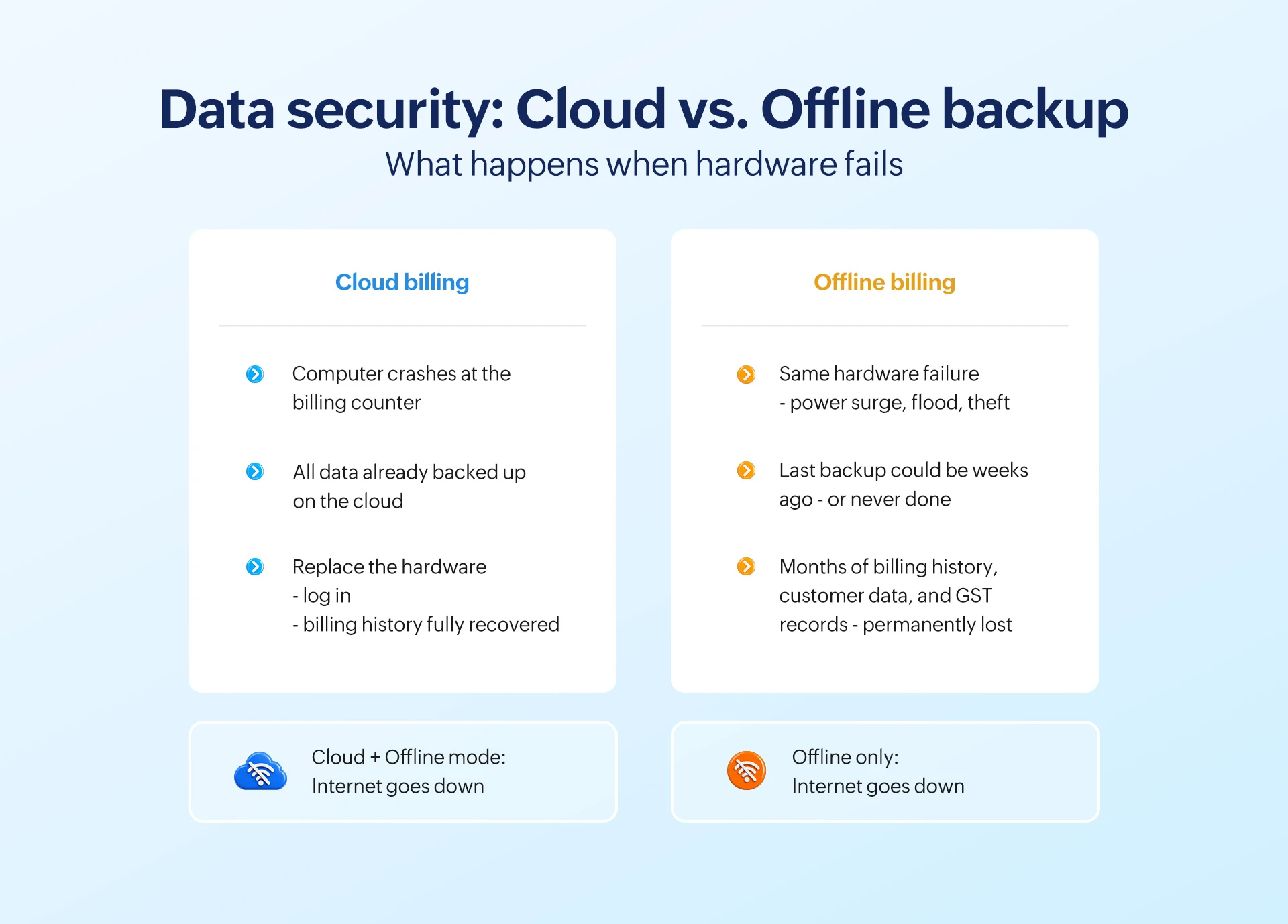
Your billing data sits on a local hard drive or server. If that hardware fails due to a power surge, a flood during a monsoon, a virus, or simple mechanical wear and your last manual backup was days ago, that data is gone. Permanently.
Cloud billing protection
Every transaction is encrypted and backed up to remote servers automatically. Hardware failure at your shop has zero impact on your billing history. You can recover your data to the minute.
A common reality in Indian retail is that manual backups are set up during software installation and then quietly forgotten. Months later, if the backups weren't done manually, a hard drive crash would mean the store's entire sales and customer history is wiped out.
Cloud billing removes human error from backup entirely. It happens in the background, every minute, without any staff action required.
4. Software updates and GST compliance
India's GST framework continues to evolve. E-invoicing mandates are expanding to smaller businesses, HSN code changes are rolled out periodically, and new compliance formats emerge with each budget.
Offline billing requires you to manually download and install each update to stay compliant. In a busy retail environment, this is frequently deferred. Stores running outdated billing software versions risk generating non-compliant invoices whic is a real audit and penalty risk.
Cloud billing automatically deploys updates from the vendor. Every new GST rule, e-invoicing change, or compliance requirement is live in your system before the deadline, with zero effort from you.
5. Cost structure: Subscription vs. one-time fee
Offline billing software typically requires a higher one-time license payment, which feels more attractive to cost-conscious retailers. Cloud billing runs on a monthly or annual subscription.
But the true cost comparison goes beyond the sticker price.
- Offline hidden costs: IT support for updates and maintenance, hardware upgrades over time, manual backup infrastructure, and the potential cost of a single data loss event (which can mean lost billing history, GST reconciliation failures, and missing customer data).
- Cloud costs (actual, not hidden): A subscription covers automatic updates, security maintenance, vendor-side backup infrastructure, and ongoing technical support. For most retail shops, this is a lower total cost of ownership over three to five years when compared to the ongoing cost of offline software.
Gofrugal's cloud retail software starts at ₹7,000/year, per store, while on-premise software starts from a one-time cost of ₹18,000, with varying ongoing maintenance costs thereafter.
Cloud vs. offline billing software: How to choose the right one for your business
There is no single right answer for every retail business. The best billing software is the one that fits your shop's connectivity, scale, and operating needs. Here's a practical framework.
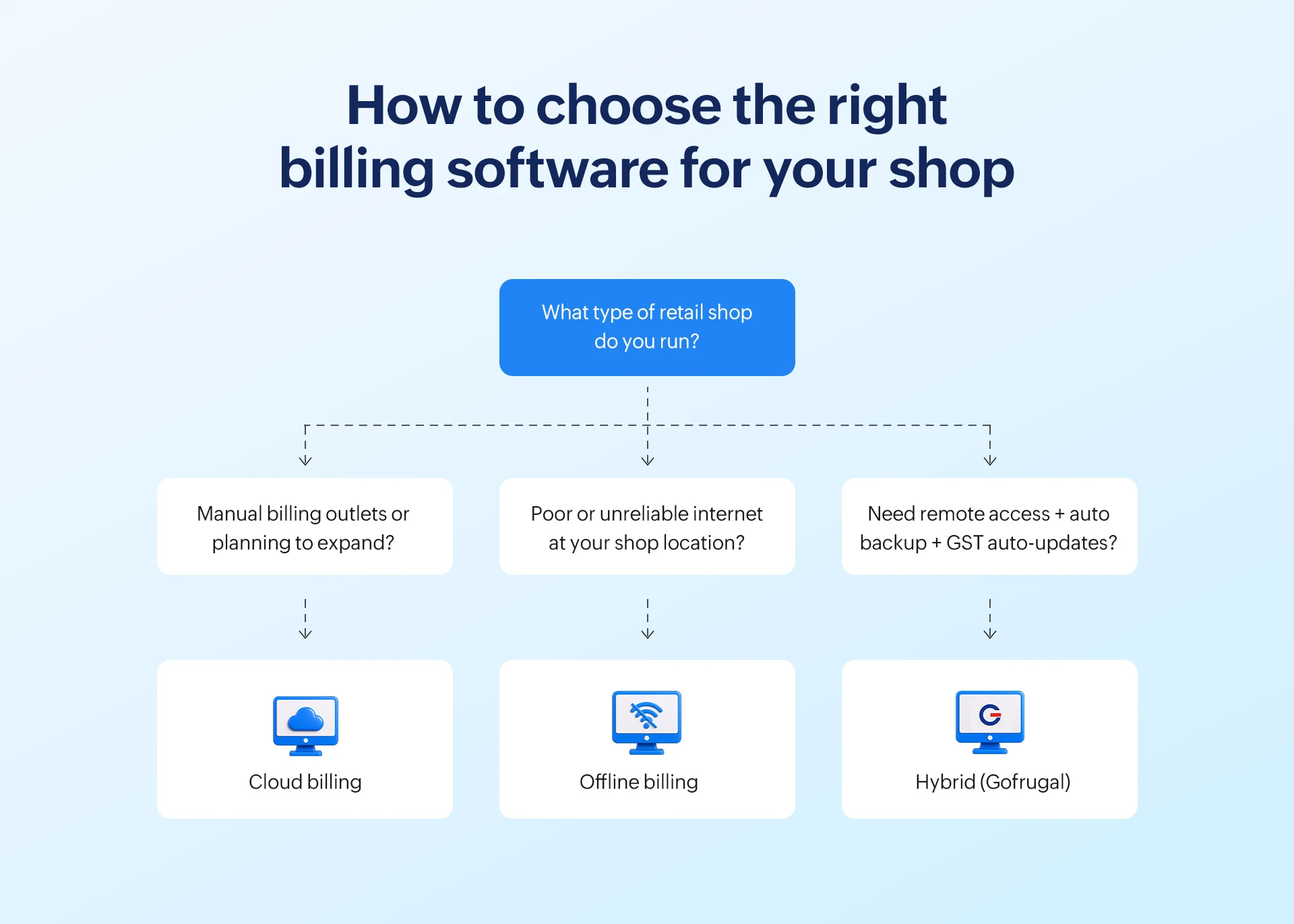
Choose cloud billing software if:
- You manage more than one shop or plan to expand to multiple outlets.
- You want to check sales, stock, and performance from your phone when you're away from the store.
- Your location has a reliable internet connection (most urban and semi-urban areas in 2026).
- You've had data loss or backup failures with a local system in the past.
- Your business is growing and you need a system that scales without reinstalling at each new counter or branch.
- Staying current with GST changes automatically matters to you.
Choose offline billing software if:
- You operate a single shop in an area with genuinely poor or no internet connectivity.
- You prefer full local ownership of your data and do not need remote access.
- Your billing operation is simple (single counter, single location, stable product catalog).
- You have a disciplined IT backup routine already in place and the technical support to maintain it.
The best of both: Hybrid billing software
- Billing never stops, even when the internet goes down (offline mode kicks in automatically).
- All data syncs to the cloud the moment connectivity returns. No manual reconciliation needed.
- Your billing history, customer data, and GST records are backed up and encrypted off-site.
- You get remote access and multi-outlet visibility when you need it.
This is exactly how Gofrugal's retail billing software is designed to work.
How Gofrugal delivers hybrid-safe billing for retail shops
Gofrugal's retail billing software isn't a choice between cloud and offline; it gives you both, built into the same system. Here's how it addresses the three dimensions of billing safety that matter most to retail shop owners.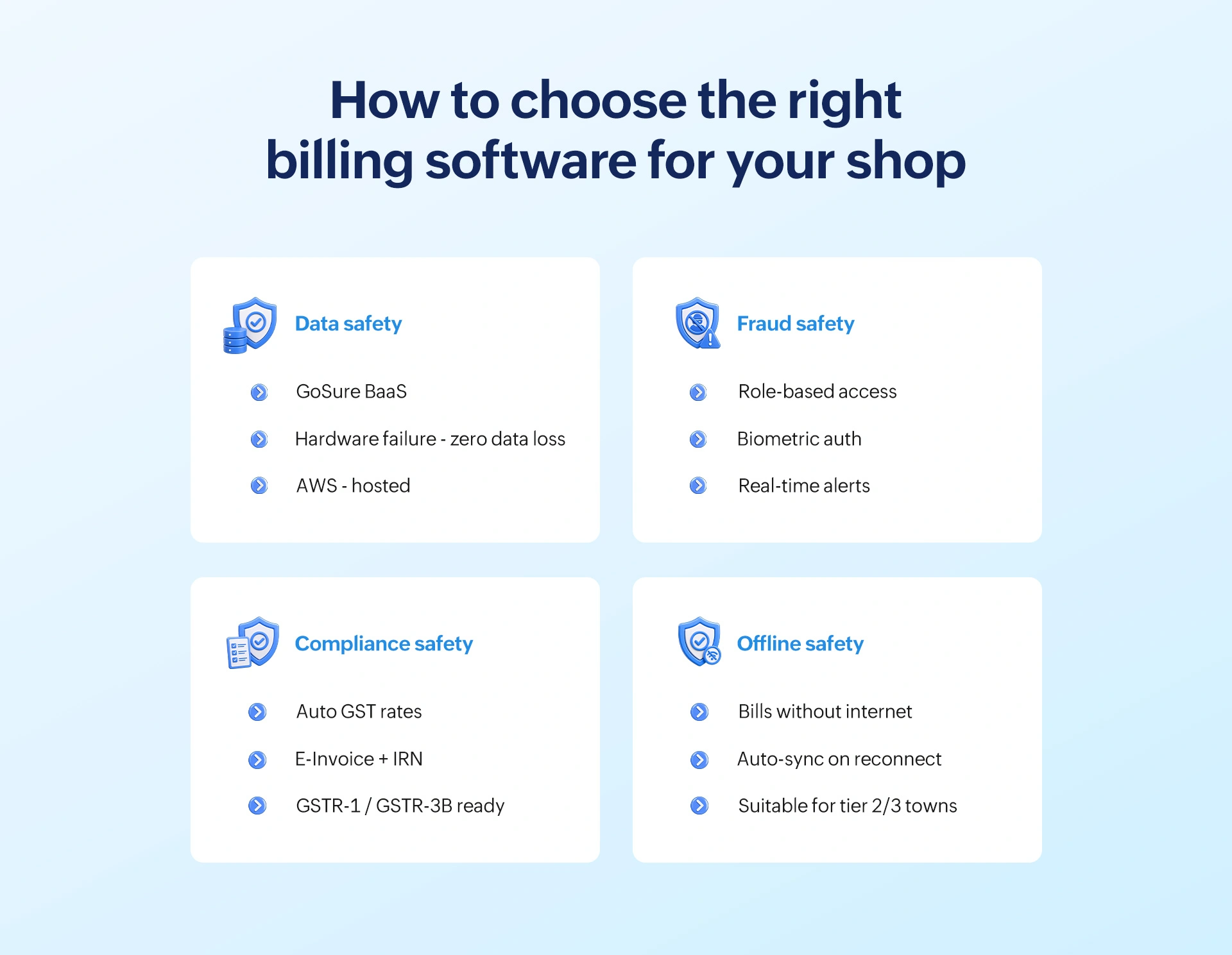
1. Data safety: Automatic, encrypted backup with zero manual effort
- GoSecure BaaS (Backup as a Service): Your billing data is automatically encrypted and backed up to the cloud. If your billing computer crashes, floods, or is stolen, your data is fully recoverable to the last transaction.
- Offline mode with auto-sync: GoBill and Gofrugal's desktop POS continue billing during internet outages. Once connectivity resumes, all transactions sync to the cloud automatically in sequence, with no duplicates.
- AWS-hosted infrastructure: Data is stored on Amazon Web Services. The same enterprise infrastructure used by banks and government agencies.
2. Fraud safety: Know everything that happens at your billing counter
- Role-based access control: Define exactly what each staff member can do, who can apply discounts, process returns, or cancel bills. Sensitive operations require manager approval.
- Biometric authentication: High-value transactions and critical overrides require biometric verification, preventing unauthorized actions even from trusted staff.
- Tamper-proof audit trails: Every action at the billing counter, every void, discount, return, or login is logged against a user ID. Owners can review these logs remotely via the WhatsNow app.
- Real-time alerts: Get instant mobile notifications for exception activities like unusual discount rates, high-value returns, or access outside business hours.
3. Compliance safety: Always GST-ready; no manual chasing
- Auto-applied GST rates: All rates are applied based on HSN/SAC codes, customer type (B2B/B2C), and location. No manual calculation is needed and there are no mismatched rates.
- E-invoice generation and IRN tracking: Gofrugal generates e-invoices automatically and tracks IRN numbers, keeping you compliant with expanding e-invoicing mandates.
- GSTR-1 and GSTR-3B-ready reports: File your returns without manual reconciliation. All billing data maps directly to filing formats.
- Automatic compliance updates: When GST rules change, your billing software updates automatically, no manual patching or risk of non-compliant invoices.
Gofrugal is certified with ISO/IEC 27001 (IS 642819), one of the most recognized independent international security standards, applicable to both its cloud and on-premise solutions.
“Implementing Gofrugal resolved 90% of our problems. We now complete billing and reordering within a few seconds compared to 10 minutes before. Overall business efficiency improved significantly.”
— Mr. Chandrakant Ravaria, Owner, Nikita Stores
The verdict: Cloud, offline, or hybrid?
Cloud billing software and offline billing software are not opposites. They are two approaches to the same goal: keeping your billing fast and accurate, and your data secure. Each has genuine strengths. The right choice comes down to your shop's scale, connectivity, and how much risk you're comfortable carrying.
If you need remote access, automatic backup, multi-outlet control, and continuous GST compliance, cloud billing is the clear choice. If you're a single-location shop in a low-connectivity area with a disciplined IT routine, offline billing can work well for you.
However, for most retail shops in India today, the hybrid approach, cloud sync with offline billing mode is the practical answer. It means you never lose a sale to an internet outage, and you never lose your data to a hardware failure. You get the benefits of both.
Gofrugal's retail billing software is built exactly this way. Whether you're running a single kirana store or a 20-outlet chain, you get offline billing that never stops, cloud backup that never fails, and GST compliance that never falls behind, all in one system.
Frequently asked questions
Is cloud billing software safe for retail shops?
Yes. Enterprise cloud billing software uses end-to-end encryption, automated backups, and access controls that most local setups cannot match. Your billing data is stored on certified servers—such as AWS—and backed up in real time, so it survives hardware failures, theft, or disasters. The key is choosing a vendor with verified security certifications and transparent data policies.
Is offline billing software safer than cloud billing software?
Not necessarily. Offline billing software stores data on a local server, which is vulnerable to hardware failure, ransomware, theft, and natural disasters without the protection of automatic cloud backup. Unless a business has a disciplined IT backup routine and up-to-date security patches, offline-only billing often carries more data risk than cloud billing, not less.
What happens to billing data if the internet goes down?
With modern hybrid cloud billing software like Gofrugal, billing continues uninterrupted in offline mode. All transactions are saved locally and automatically sync to the cloud once the connection is restored—with no data gaps or mismatches. With offline-only software, there is no internet dependency at all, but there is also no cloud backup running in the background.
Can cloud billing software prevent billing fraud in retail shops?
Yes. Cloud billing software provides role-based access controls, real-time audit trails, and remote monitoring, making fraud significantly harder to commit and easier to detect. Owners can receive instant alerts for unusual activity, view billing logs from any device, and revoke staff access immediately when needed, without being physically present at the store.
What are the biggest risks of offline billing software?
The biggest risks are hardware failure (which can permanently delete billing history if backups are not current), ransomware or malware attacks on local systems, physical theft of the billing server, and outdated software versions that create GST compliance vulnerabilities. All of these risks are significantly reduced with cloud or hybrid billing software.
Does cloud billing software work without the internet?
Modern cloud billing systems, including Gofrugal, include a dedicated offline billing mode that operates fully without an internet connection. Transactions are stored locally and synced to the cloud when connectivity resumes. This makes them suitable even for stores in Tier 2 and Tier 3 cities with unreliable internet connections.
Which billing software is better for multi-store retail chains?
Cloud or hybrid billing software is clearly the better choice for multi-store chains. It enables centralized access control across all outlets, real-time audit trails, and a single source of truth for billing data. Offline systems create data silos at each outlet, making inconsistencies, fraud, and compliance gaps much harder to detect and manage.
What is the difference between a cloud backup and a manual backup for billing?
A cloud backup is automatic, continuous, and stored off-site—it happens in the background without any staff action and saves data to a secure remote location after every transaction. A manual backup requires someone to copy data to an external drive at regular intervals, which is frequently skipped or stored on-site—meaning it could be destroyed in the same incident that affects the original data.
How does cloud billing software handle GST compliance automatically?
Cloud billing software automatically applies the correct GST rates based on HSN/SAC codes, customer type, and location. It generates e-invoices with IRN numbers and maintains tamper-proof billing records that map directly to GSTR-1 and GSTR-3B filing formats. When GST rules change, the software updates automatically, keeping you compliant without manual intervention.
Is a hybrid billing software the safest option for retail?
For most retail shops, yes. A hybrid system combines offline reliability, billing continues without internet access—with cloud-level security like automatic backups, remote audit trails, and compliance updates. It eliminates the single points of failure found in both pure cloud and pure offline models, making it the most complete safety solution for retail businesses.
How much does cloud billing software cost compared to offline billing software?
Cloud billing software typically runs on a monthly or annual subscription. As an example, Gofrugal's cloud retail software starts at ₹7,000 per year, per store. Offline billing software usually involves a one-time license fee. For example, Gofrugal's on-premise software starts at ₹18,000, with ongoing maintenance and update costs separately. Over three to five years, cloud billing often works out to a lower total cost when support, updates, and backup infrastructure are factored in.
Can billing data be recovered if a retail shop's computer crashes?
With cloud or hybrid billing software, yes, all data is backed up continuously to the cloud, so a local hardware crash would have no impact on your billing history. With offline-only software, recovery depends entirely on whether a recent manual backup was made which is often not the case in day-to-day retail operations.
What security certifications should I look for in cloud billing software?
Look for billing software that is VAPT (Vulnerability Assessment and Penetration Testing) certified, follows OWASP security guidelines, stores data on certified cloud platforms like AWS or Azure, and uses strong encryption for data in transit and at rest. Gofrugal's cloud POS system meets all these benchmarks and adheres to best cryptographic practices.