Why is it important to integrate billing with inventory and accounting?
Disconnected systems slow down retail operations, create costly mistakes, and increase compliance risks. By integrating billing, inventory, and accounting, businesses achieve accuracy, efficiency, compliance, and better customer service.
Try Gofrugal now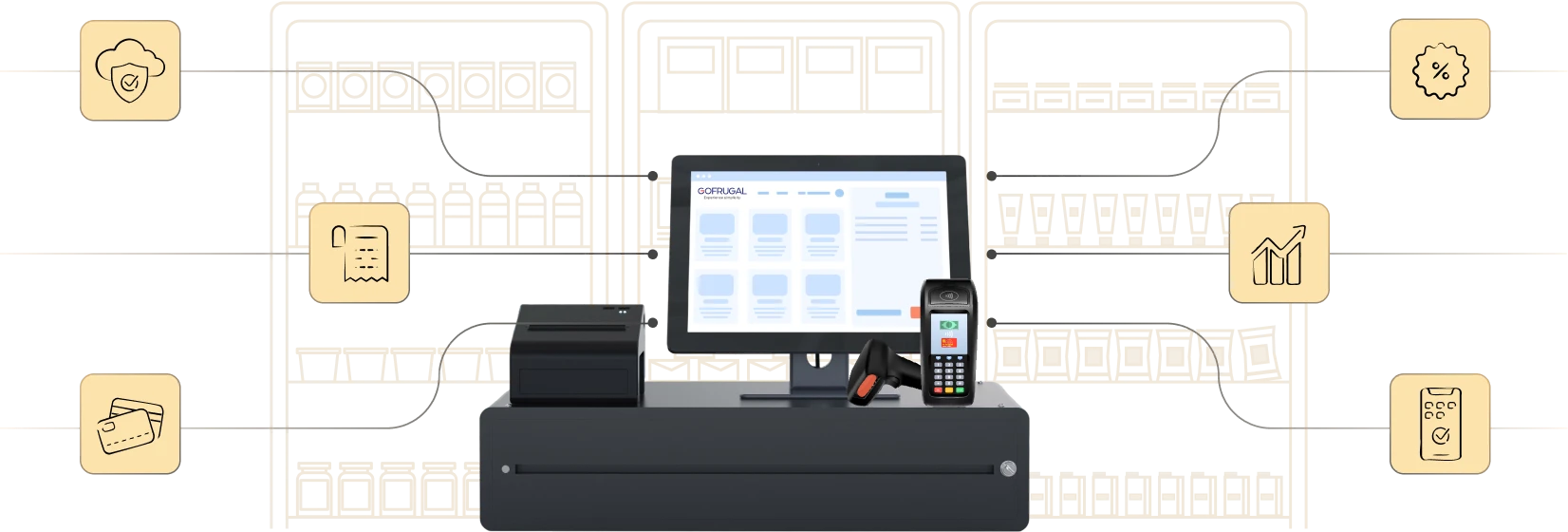
Highly rated and trusted by customers!








Key features
Key takeaways
- Understand the challenges and benefits of billing, inventory, and accounting integration.
- Learn the best practices for seamless integration of billing,inventory, and accounting.
- See how Gofrugal helps manage billing, inventory, and accounting from one place.
Common challenges without integration
Not integrating billing, inventory, and accounting leads to numerous challenges in retail business, and mostly one is tied to another, leading to greater impact down the supply chain. Below are a few common challenges of not integrating billing, inventory, and accounting.
- Lack of transparency: Without this integration, users face manual intervention at each stage. If there are multiple manual touch points, there are high chances of data misappropriation and exploitation of user roles at each level in the process.
- Increased time and labor: If billing, inventory, and accounting are not integrated, there is more labor duplication, manual work, and time needed to verify, validate, and complete each operation.
- More human errors: There are high chances of errors due to manual verification and manual inputs at each stage. If multiple software applications are used for each operation, the margin of error increases further.
- Inaccurate decision-making: If more time is consumed for each operation, it results in a lack of real-time data. Also, without this integration, human errors accumulate and lead to incorrect decisions on purchases and inventory.
- Increased compliance risk: Errors in accounting and tax filing without proper integration with the billing and purchase process can lead to inaccurate tax filing and returns claim.
How an integrated POS system works
Integrated POS system acts as the central hub that connects billing, inventory, and accounting to ensure seamless data flow from beginning to end. It connects the front office (billing) operations with the back-end (inventory and accounting) operations, ensuring synchronized data throughout the workflow. This integration is a combination of POS software, hardware, and API integrations.
Billing
- The transaction begins with billing at the counter integrated with a barcode, weighing scale, and payment device.
- Discounts, offers, loyalty points, and rewards are applied as required; taxes are added to the bill as configured for the items; and payment is completed with flexible payment choices.
- The customer can checkout on their own by selecting items and making payments from self-checkout aisles.
Inventory
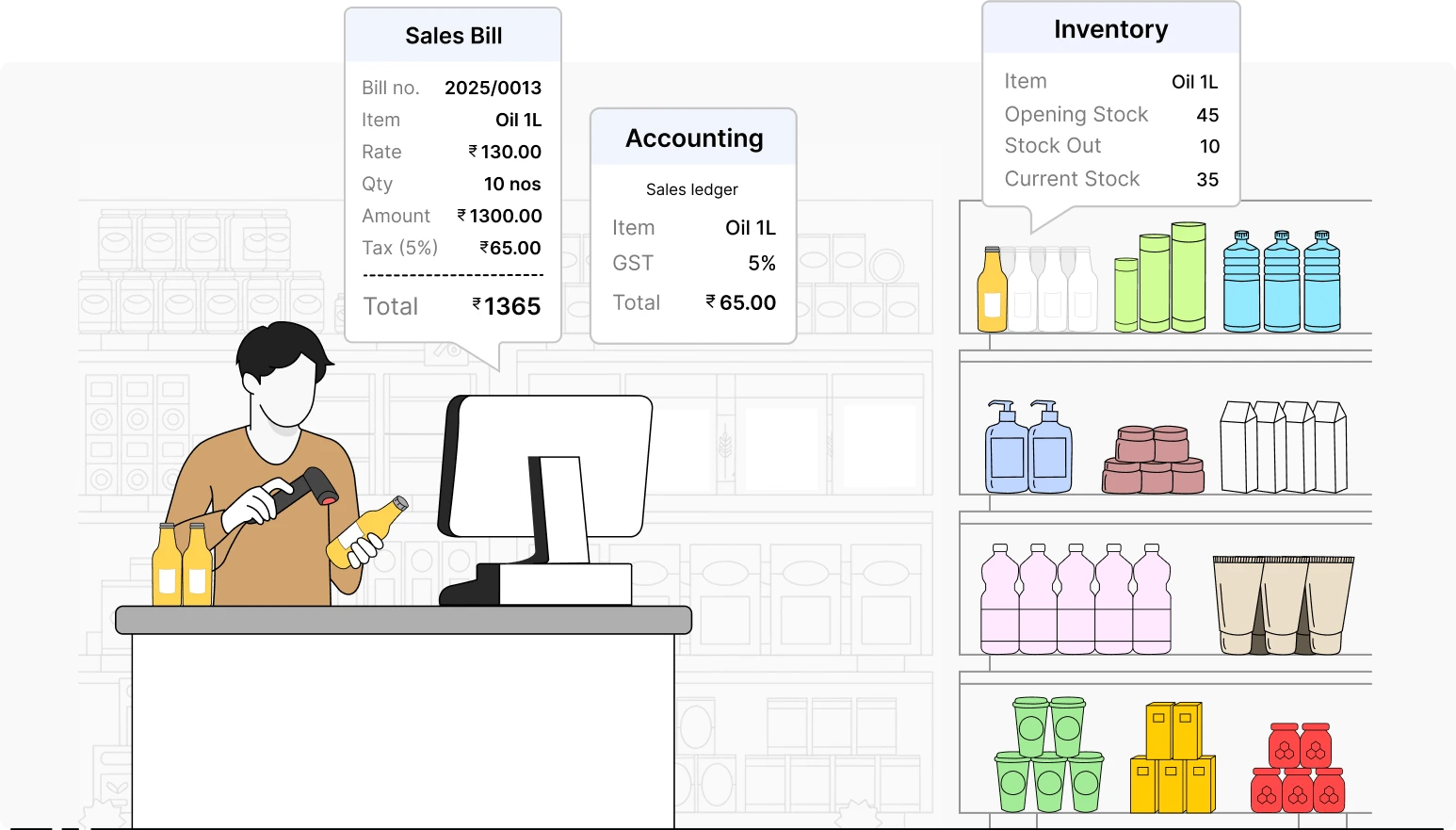
- The inventory is automatically deducted for items as per the bill in real time.
- Stock alerts are triggered based on the minimum stock configured for each item.
- Reordering is done to the supplier, goods inward is done for received items, and inventory is automatically updated.
Accounting
- The transaction is posted in the accounting module automatically in relevant ledgers.
- Taxes are calculated based on the billing value, jurisdiction, and tax slab configured for the items.
- Cost of goods sold is calculated, TDS can be viewed, final tax can be viewed from the dashboard, and tax can be filed through direct integration with tax portal.
Best practices for seamless integration of billing, inventory, and accounting
Here are a few best practices you can follow during integration.
Standardize data and processes
- Centralize masters for items, item price, customers, suppliers, and taxes.
- Define the workflows and automatic flow of data from billing to accounting for each transaction.
- Establish rules, configurations, and settings to ensure reliable data flow even in your absence.
Equip and train your staff
- Train your staff based on roles in their preferred languages.
- Provide sufficient training resources and guides for them to access, learn, and implement themselves.
- Brief the staff about how the action they perform impacts the processes to follow and instruct them on the best practices to follow.
Implement, test, and improve
- Do a pilot test or trial of the data flow in this integration with sample data before going live.
- Monitor data and analyze reports to know if the integration is working as expected.
- Start from one counter or one outlet and scale to all the counters, locations, and outlets.
Track multichannel inventory
- Track orders from multiple channels, such as in-store, online ecommerce, and self checkout counters regularly to ensure 100% stock availability.
- Record sales returns and purchase returns to adjust inventory and utilize them for sales to ensure accurate inventory and steady cash flow.
- Raise credit and debit notes for returns to adjust the value in future payments and ensure accurate accounting.
Ensure tight integration with accounting
- Record each bill in the system and define the data posting to accounts in real time to avoid tedious manual work during tax filing.
- Streamline processes to capture every amount in and out of the system for accurate tracking in accounts.
- Ensure tax is adjusted based on returns, refunds, and exchanges.
Focus on audit and statutory compliance
- Track bills with and without GST separately and define the data flow to accounting based on the condition.
- Define different prices based on conditions, ensure only relevant inventory is deducted, and account them in taxes correctly.
- Maintain audit trail history in the system to know the history of changes made in the data.
Adopt an all-in-one ERP
- Implement a comprehensive ERP for your business to manage operations from billing to tax filing.
- Ensure the ERP is flexible and scalable to access data and run your business from anywhere.
- Verify if the ERP allows you to define user-based access and provides transparency across the supply chain.
Key benefits of a billing-inventory-accounting integration
- Increased efficiency: The integration automates data flow between modules, reduces manual efforts, and simplifies operations.
- Accelerated operations: This integration accelerates billing, ensures real-time stock adjustments, and automates ledger entries in the accounting module.
- Reduced errors: Automatic data flow reduces errors such as typos, wrong calculations, and data mismatch, while also increasing accuracy in data across the process.
- Unified reporting: Integrating these operations ensures uniform data across modules and helps in making informed decisions with real-time data.
- Enhanced customer satisfaction: Making data-driven decisions ensures accurate purchases and optimal stock availability, avoiding stockouts and providing delightful customer experience.
How Gofrugal helps seamlessly integrate billing with inventory and accounting
Gofrugal is a flexible ERP software for retail, restaurant, and distribution businesses which you can use in any model you require—desktop, cloud, mobile, or tablet. It's comprehensive capability to handle all business operations allows you to perform super-fast billing, make accurate purchases, track inventory in real time, handle tax filing, and do e-invoicing in one place.
Gofrugal ERP has a wide range of features to manage your business efficiently. Below are some of the features that can help streamline billing, inventory, and accounting.
Easy hardware integration for accurate billing
Generate unique barcodes for each batch and print custom barcodes in your preferred language with required details based on the need. Make bills precisely and track inventory accurately with barcode and weighing scale integration.
Enjoy flexible integrations with e-commerce
Integrate with e-commerce platforms such as Shopify, Unicommerce, and WooCommerce to receive and process orders from multiple channels. Pick stock for multiple orders and channels and track real-time inventory to ensure seamless sales.
Manage sales and inventory on the go
Bill from anywhere with the mobile-based POS GoBill. Audit and correct stock in real time with GoSure to ensure accurate inventory. Inward goods and record stock from anywhere with the GRN app to perform billing seamlessly.
Capture every transaction accurately
Record returns for damage and expiry precisely, enjoy real-time stock adjustment with immediate posting in accounts. Raise credit and debit notes to adjust the amount for subsequent payments and maintain your cash flow.
Secure data with restricted access controls
Provide restricted access to screens and menus for each solution based on roles to avoid data misappropriation. Ensure billing staff doesn't edit inventory and the procurement team doesn't edit bills with role-based access to ensure data accuracy.
Frequently asked questions (FAQ)
Why should billing, inventory, and accounting be connected?
Connecting billing, inventory, and accounting unifies the data across operations and acts as a single source of truth. It reduces manual work, avoids duplicate effort, increases efficiency, and ensures accuracy in decision-making.
How does integration reduce manual work for staff?
If a bill or return is made at any counter or outlet, inventory gets reduced for those items from that location and updated in the accounting module automatically, eliminating the need for manual entry. The staff doesn't need to spend long hours matching sales with stock and accounts.
How does integration improve accuracy in retail operations?
This integration ensures automatic data sync between different modules without any human intervention, thereby avoiding human errors such as typos, missing transactions, and incorrect calculations.
It ensures real-time inventory syncs across the system, reducing mistakes due to manual inputs and delays, avoiding understocking or stock-outs, and resulting in accurate decision-making. These transactions are recorded in ledgers automatically, reducing errors in financial accounting and ensuring compliance.
Can POS systems automatically update stock and accounts after billing?
Yes, POS systems can automatically update stock and accounts after billing. Once the billing is done, inventory is reduced for the correct batch of items in the bill, and the data is posted in the accounting module in relevant ledgers automatically.
Is integrated POS software suitable for small businesses?
Yes, integrated POS software is suitable for all retail businesses from small shops to large enterprises. It makes their everyday operations simple with automatic processes and streamlined workflows.
What are the risks of using separate systems for billing and accounting?
Using separate systems for billing and accounting leads to manual errors and delays at each stage. It increases human efforts to validate the data and feed the inputs into the system for the next operation. It reduces transparency across operations as there are high chances of data misappropriation in the manual process. Overall, using separate systems impacts productivity and reduces the accuracy of operations.
Does integrated billing and inventory help with tax compliance?
Absolutely, integrated billing and inventory helps in tax, audit, and regulatory compliance. This integration brings transparency and accurate data flow across operations, ensuring stock data is accurate, the tax value is correct, and everything is ready for audits. If the billing and inventory are integrated and inventory is updated in real time, it will ease the efforts needed during year-end stock audits.
Can multi-store retailers benefit from integrated billing and accounting?
Yes, multi-store retailers benefit greatly from integrated billing and accounting. Integrating billing and accounting with multi-store POS in a chain business centralizes the data, automates tedious processes, and increases efficiency in operations across stores. It increases transparency, unifies data across stores, and improves accuracy in decision-making.