How to automate reordering processes in inventory management for faster stock replenishment
Explore how an automated reordering process improves purchase efficiency, reduces manual work, and ensures stock availability. Learn how to automate reordering through simple strategies and increase operational efficiency in your retail business.
Request a callback
Highly rated and trusted by customers!








Key features
Key takeaways
- Uncover the common challenges in the manual reordering process and how to overcome them with automated reordering.
- Learn a few simple steps and effective strategies to automate the reordering process, and benefits of implementing automation in reordering.
- Find out how Gofrugal helps streamline purchase and inventory management with effective solutions and features.
Common challenges of manual reordering
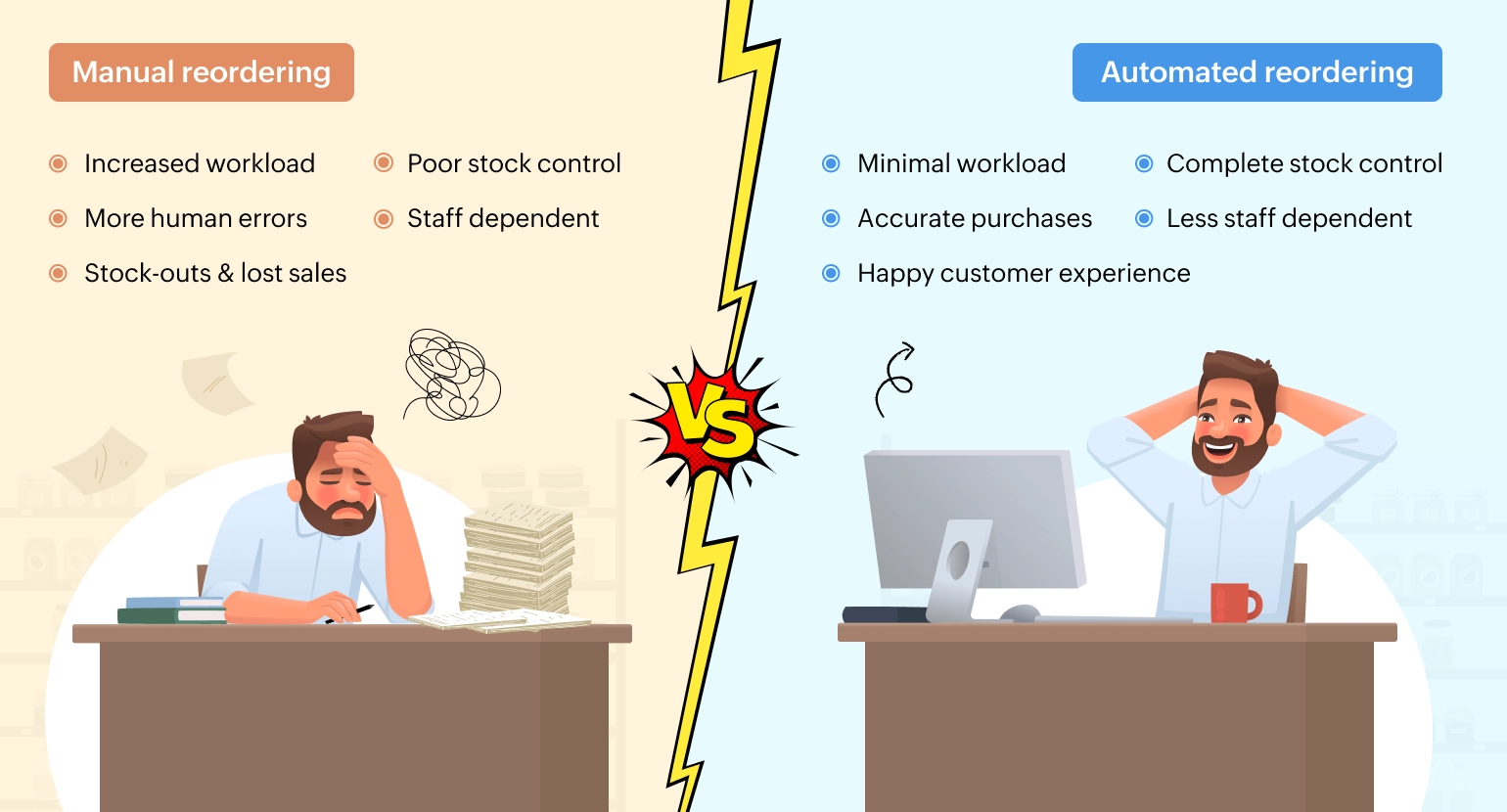
- Increased human errors Mistakes can happen while verifying current stock, entering order quantities, choosing suppliers, and forecasting demand in manual reordering processes.
- Tedious stock checks Manual stock counts, traditional stock entries on paper or spreadsheets, and tracking current stock levels across locations takes more time and effort.
- Poor inventory control Managing large SKUs and raising on-time orders to suppliers is difficult in manual reordering. It is even more challenging to meet sudden demand spikes and seasonal trends through a manual process.
- Lack of real-time visibility Manual process does not provide real-time stock visibility across channels and locations, resulting in delayed reorders, inaccurate decisions, and lost sales.
- Staff dependent operation The entire procurement and replenishment process is affected if responsible staff is absent or unavailable at the right time.
How to automate the inventory reordering process
1. Centralize master data
Centralize master data for items, suppliers, and manufacturers, and connect inventory across multiple sales channels into a single platform with inventory management software integrated with a barcode scanner.
2. Define the metrics for each item
Configure lead time, safety stock, sales velocity, and shelf life for each item and map items to the best servicing supplier.
3. Set reorder points
Define minimum and maximum stock levels for each item such that the software can trigger alerts to reorder for optimal quantity when stock reaches the minimum level.
4. Automate PO generation
Configure the software to generate purchase orders with correct items and quantities to relevant suppliers automatically based on walk-in date, lead time, and sales velocity when the reorder point is reached.
5. Analyze, audit, and refine
Monitor sales data, seasonal trends, and supplier lead times regularly to optimize order quantities. Review if ordered quantities match the demand and make corrective adjustments in parameters such as reorder points and safety stock to avoid stockouts.
Six strategies to improve reordering efficiency
Set dynamic reorder points
Implement the economic reorder quantity (EOQ) formula and configure the system to change reorder points dynamically based on demand, sales velocity, seasonality, and lead time.
Conduct regular stock audits
Audit items category-wise regularly, especially fast moving items on a daily or weekly basis, to track real-time stock levels and raise purchase orders accurately.
Categorize items based on velocity
Perform ABC analysis and classify items based on sales velocity. Prioritize reordering for items with fast movement and high value over the slow-moving, low value items.
Optimize safety stock levels
Analyze seasonal and festive sales trends, forecast demand from past sales, and refine reorder quantities. Set safety stock dynamically based on demand and seasonal spikes.
Track supplier performance
Monitor delivery trends, lead time consistency, and fill rate accuracy, and update them in the software to reorder on time. Analyze product quality and return rates, and provide periodic feedback to suppliers.
Adopt advanced ERP software
Implement an omnichannel ERP that helps manage multichannel sales, maintain multi-location inventory, automate reorders, generate custom reports, and run your business on the go.
Benefits of automated reordering process
Increased purchase accuracy
Automated reordering minimizes human errors such as typos, incorrect lead time inputs, wrong safety stock, and untimely reordering, thus increasing overall accuracy in purchase operations.
Ensure informed decisions
The system does autonomous reordering for required items and correct quantities without supplier influence, ensuring optimal investment, better cash flow, and timely replenishment.
Manage large SKUs easily
Automation in purchases enables you to handle an increasing number of SKUs effortlessly and schedule orders to relevant suppliers automatically based on walk-in dates without any hassle.
Optimized inventory control
The system raises purchase orders for the right quantities on time when stock levels reach a determined threshold, avoiding stockouts or overstocking, preventing lost sales, and ensuring customer satisfaction.
Reduced manual workload
The time spent on current stock tracking, past purchase analysis, demand forecasting, supplier evaluation, and order follow ups is reduced with automated reordering.
Adaptive to demand changes
System-driven reordering empowers you to respond quickly to demand changes and adjust reorder quantities based on sales velocity, seasonal changes, and festive sales spikes.
How Gofrugal helps improve reordering efficiency
- Define item-wise metrics Set minimum and maximum stock for each item, define supplier walk-in days, specify safety stock, and add the GST formula and margin percents in masters to reduce the effort and time manual entry would take during each reorder.
- Automate the purchase process Configure reorders based on rules such as last purchase quantity, last N-day sales, sales during a period, sales quantity from last purchase, and the like, and generate purchase orders quickly to relevant suppliers.
- Get a holistic purchase history View complete past purchase details for an item like supplier name, purchase cost, margin, bill value, and schemes and raise purchase orders to the supplier who provides the best margin with the best quality.
- Safeguard margins and profits Define supplier-wise purchase formulas, set up gatekeeper margins for each item, and automate price changes with markup/markdown settings to protect margins and assure profits.
- Ensure three-way PO reconciliation Raise purchase orders, handle returns, and inward items quickly and accurately with a barcode-scanning enabled GRN mobile app. The system handles expiry tracking, return adjustments, credit note generation, and account reconciliations with minimal efforts.